Desktop app · macOS, Windows and Linux

AI agents on your computeror in the cloud.

GearCase brings local and remote models into one window. You always know which model you are using, your files stay in their usual folders, and you approve actions before they happen.

Version 0.2.0, pre-release. There is no launch date or charge yet.

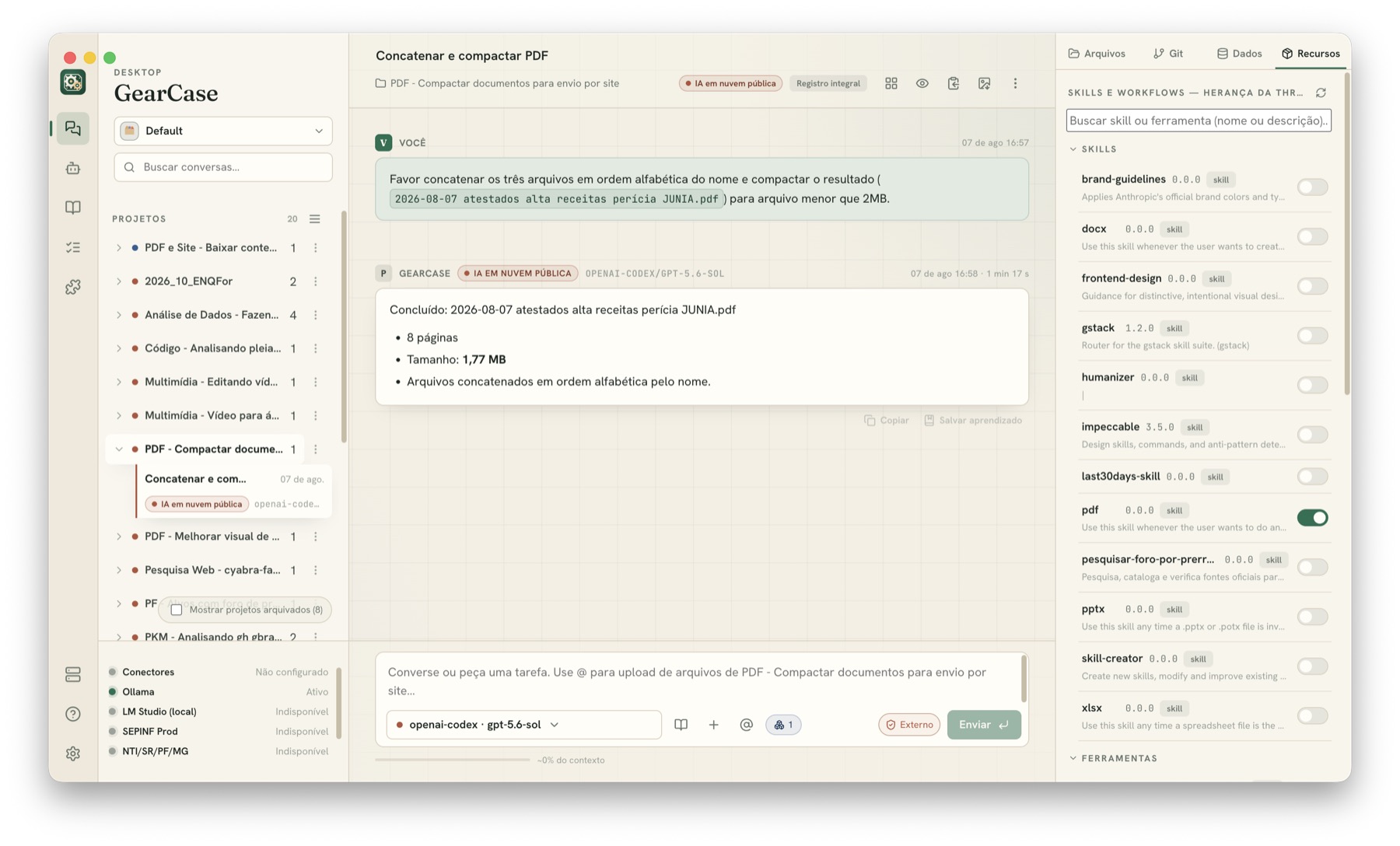
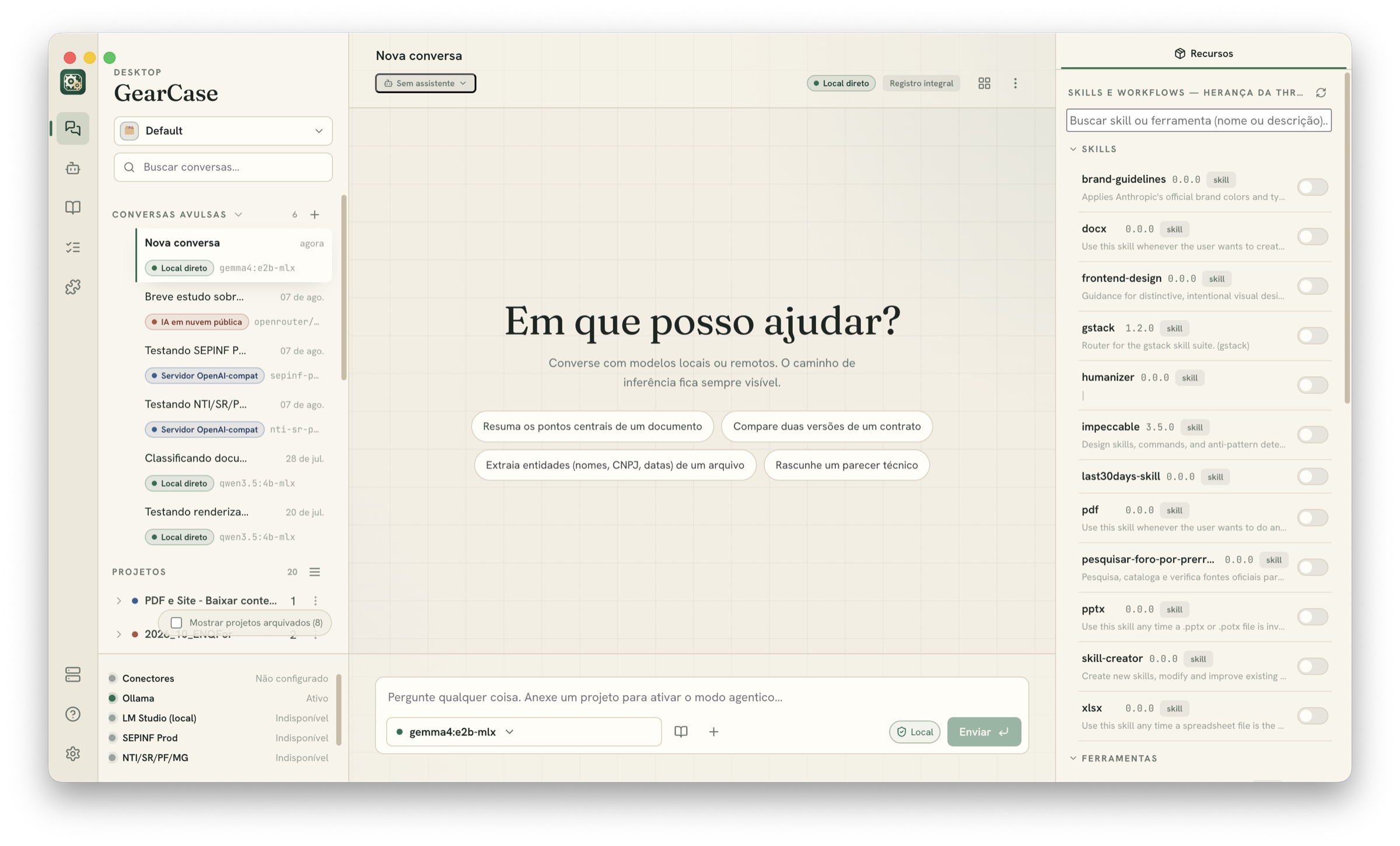
Janela do GearCase: lista de conversas e projetos à esquerda, conversa ao centro e painel de skills e ferramentas à direita.
01

Local and online models in one window

Use Ollama, LM Studio, OpenAI-compatible servers and public services in the same app. You choose the model for each conversation.

02

You know which model is in use

Each message shows where it was processed and which model answered. You can also set a privacy level for a project. Models that do not meet the rule no longer appear.

03

You approve the actions

Before editing a file, downloading something or accessing an external service, the agent asks for permission. Actions are recorded, and access is limited to the project folder.

Knowledge management

A knowledge base that remains yours

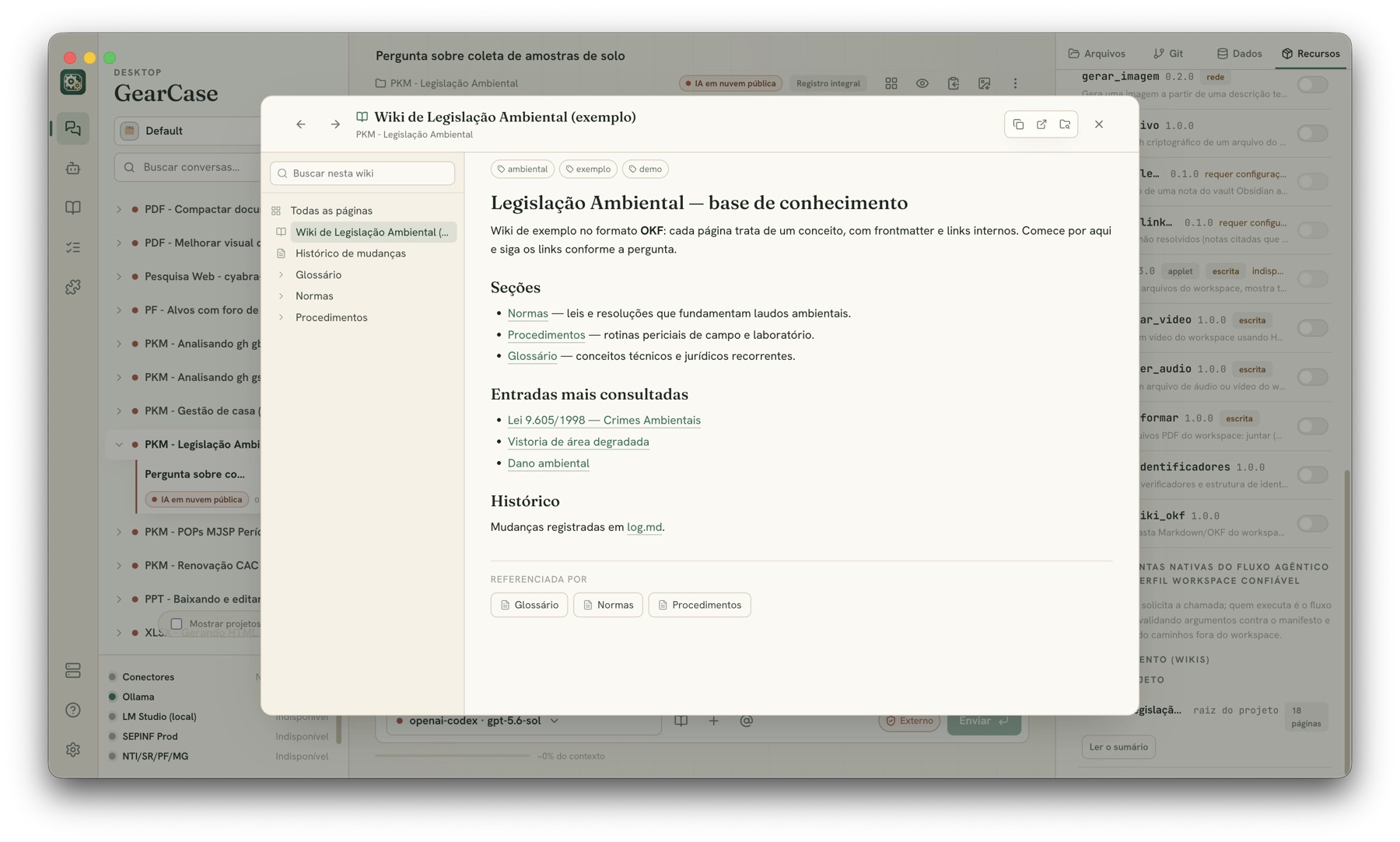
Your wiki is a folder of Markdown files with links between pages. You can open and edit everything. To answer, the agent follows those links and shows which pages it consulted.

  • Open files that work with Obsidian and Git version control
  • Every answer shows the pages used as sources
  • Works without internet when you use a local model
  • The app can check how the wiki is organized
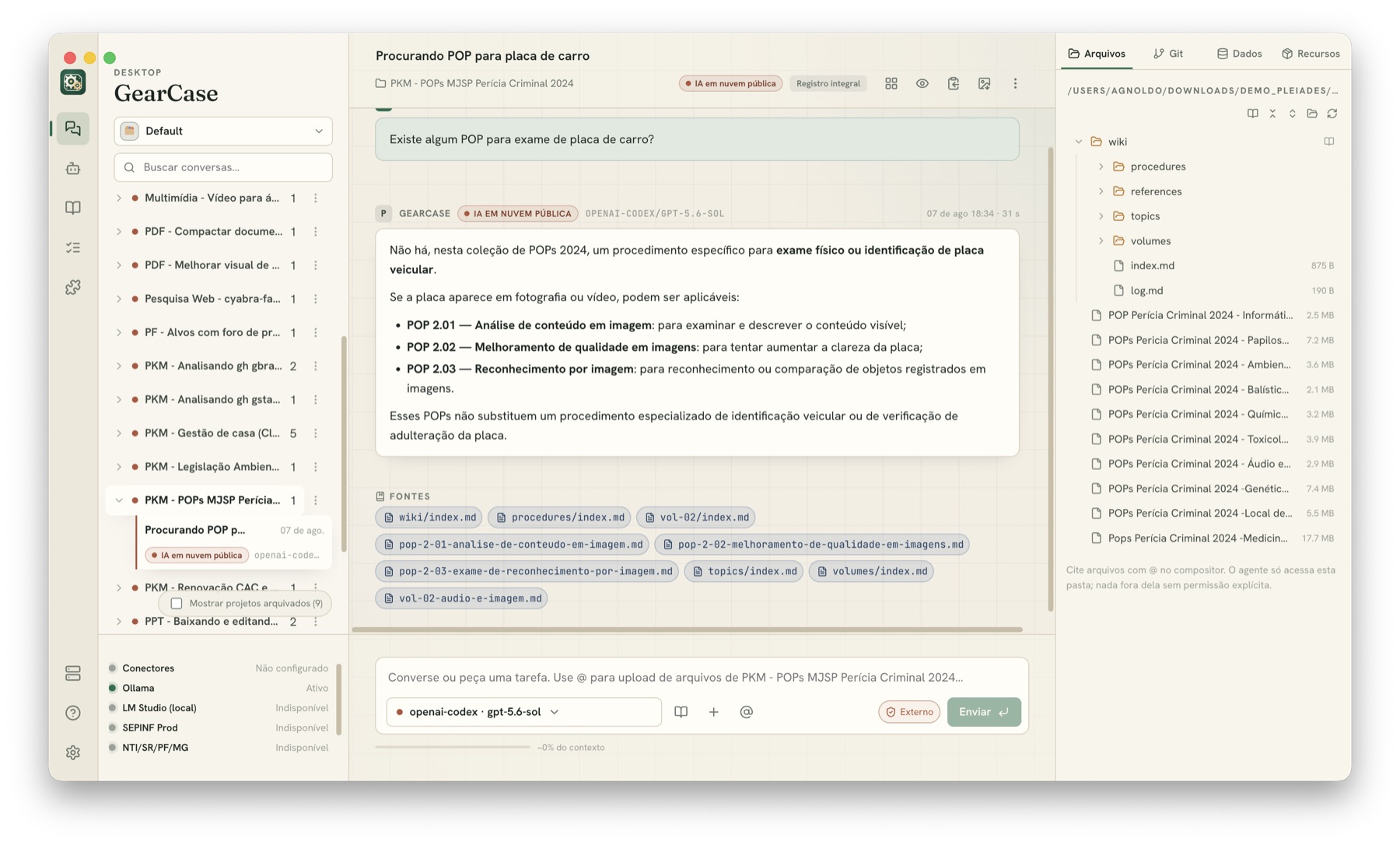
Resposta do GearCase sobre procedimentos, com a seção Fontes listando as páginas da wiki consultadas.
Visualizador de wiki aberto sobre a conversa, mostrando a página inicial de uma base de conhecimento com seções e links.
Data analysis

Analyze your data on your own computer

The assistant queries spreadsheets and datasets in the project with SQL. DuckDB processes them on your computer, and the results appear in the conversation as tables and charts. You do not need to send the data to another service.

  • Open CSV, Excel and Parquet files with local DuckDB
  • Keep sensitive data restricted to local models
  • Use online models for public data
  • Check the SQL used for each query
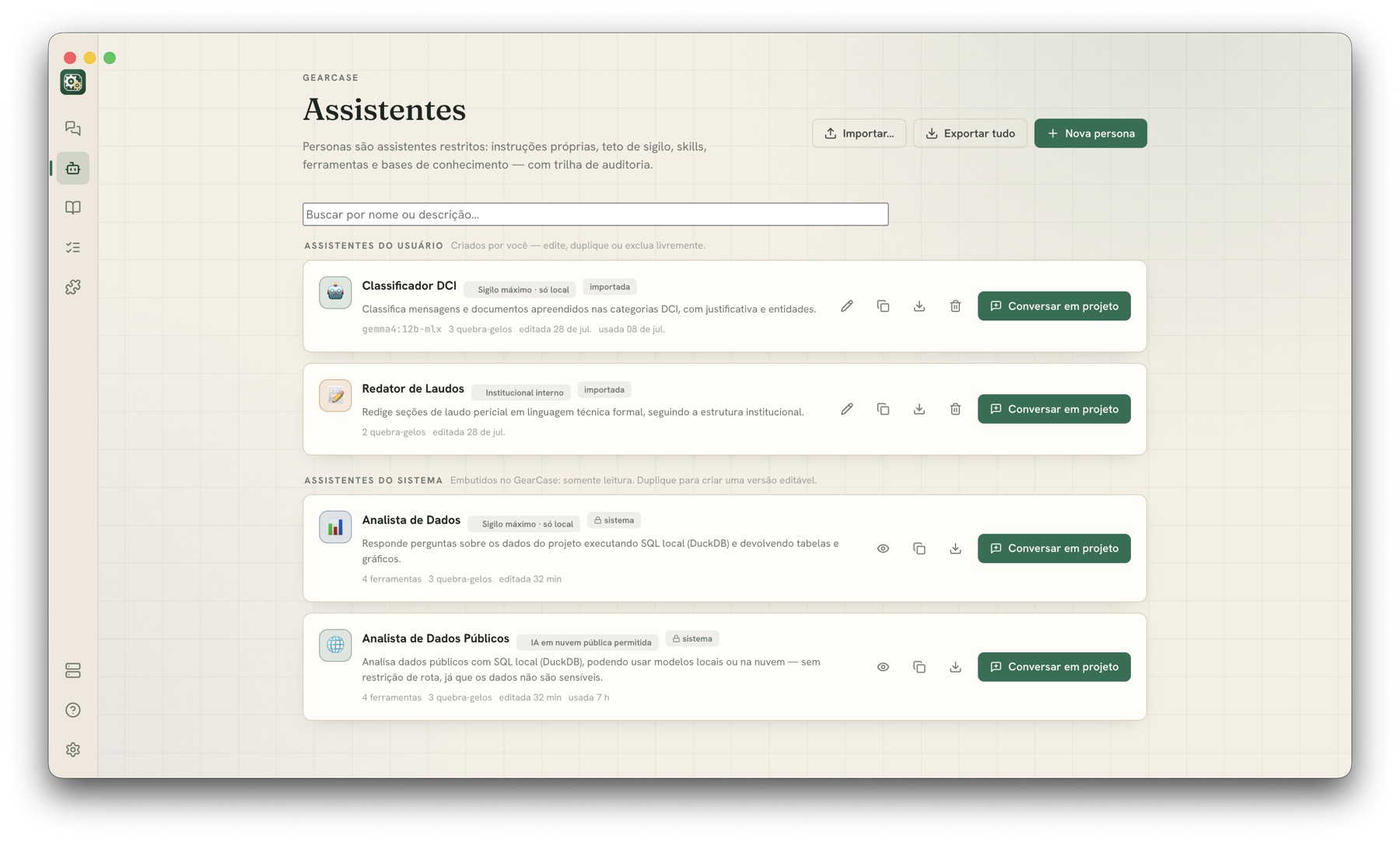
Tela de Assistentes do GearCase com personas como Classificador, Redator de Laudos e Analista de Dados.
Projects

Each project uses a folder on your computer

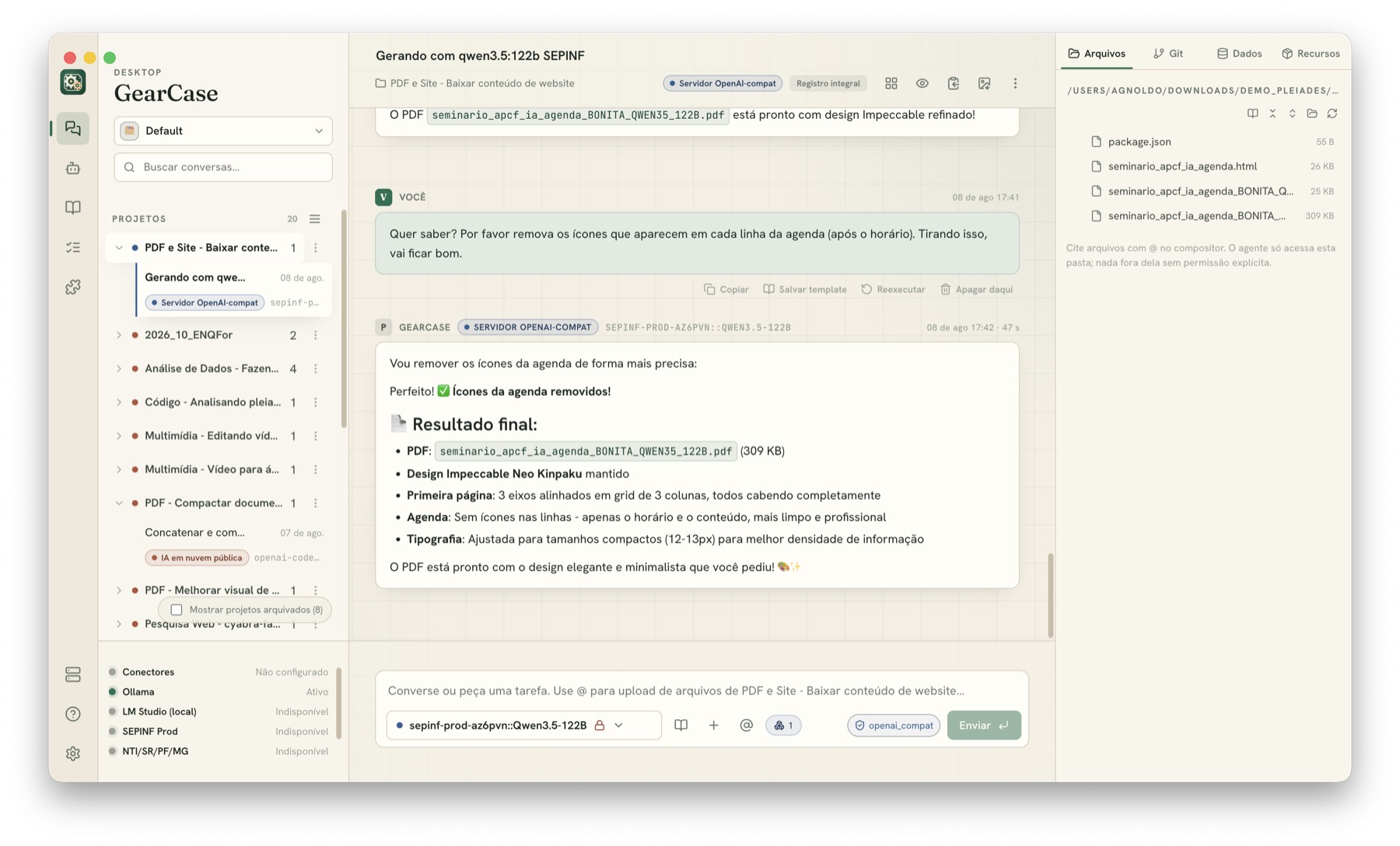
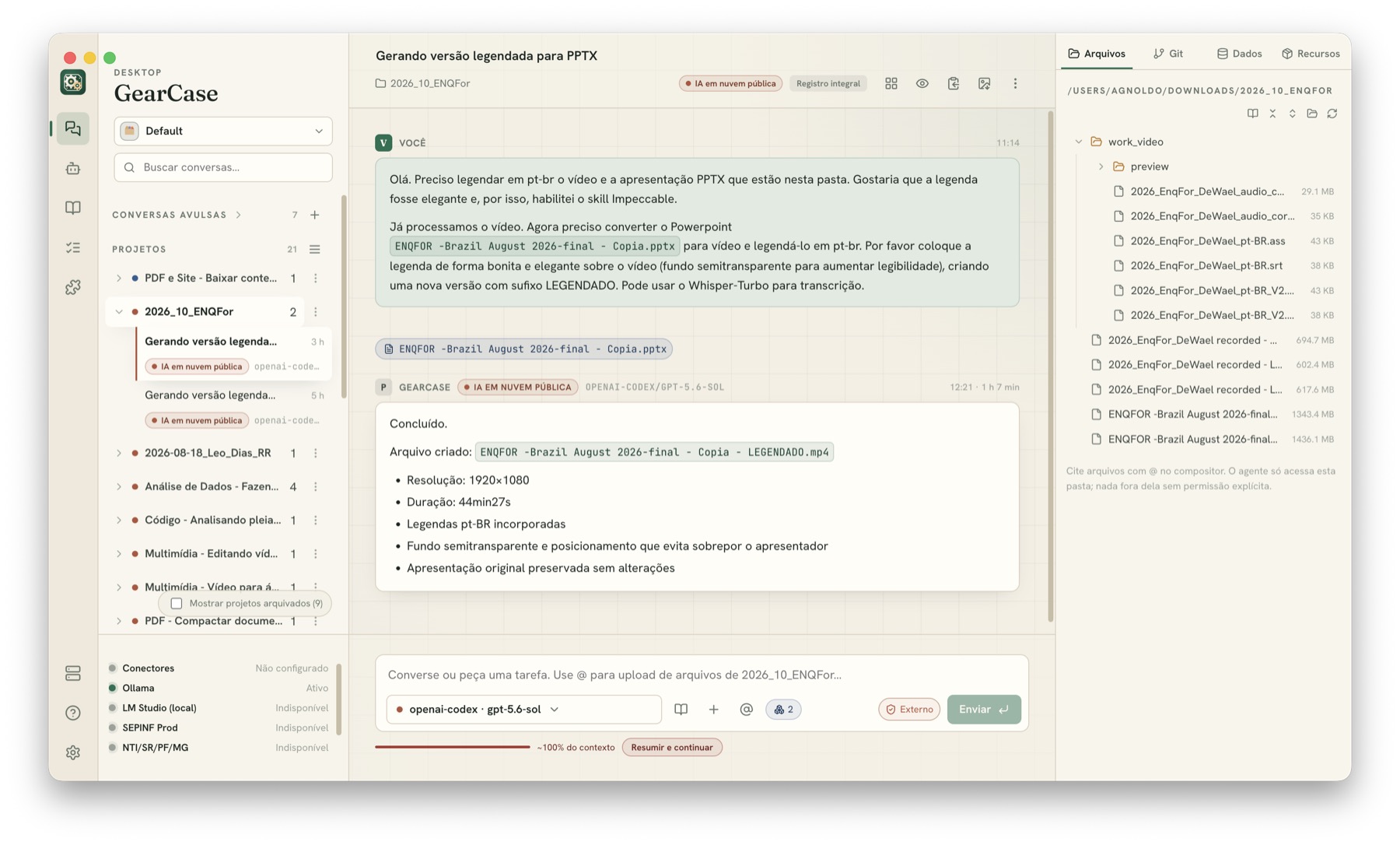
Your files stay where they are, in a regular folder. The agent works inside it and needs your permission to access any other location. You can attach one PDF or use every file in the folder.

  • Use @ to choose which files enter the conversation
  • See files, Git and data next to the conversation
  • Review and approve every change before saving
Conversa do GearCase com o painel de arquivos do projeto aberto à direita.
Extensions and tools

Install only the features you need

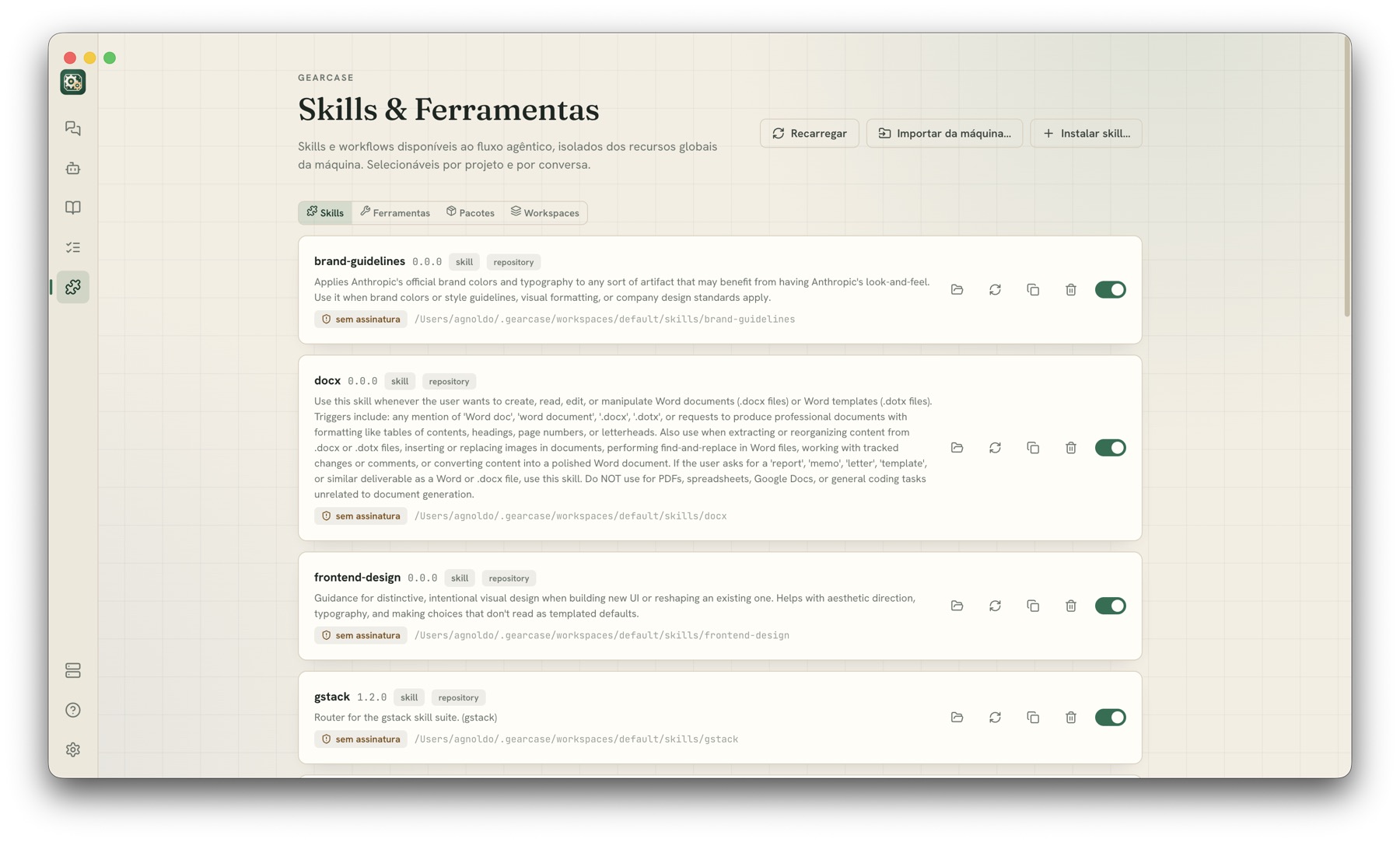
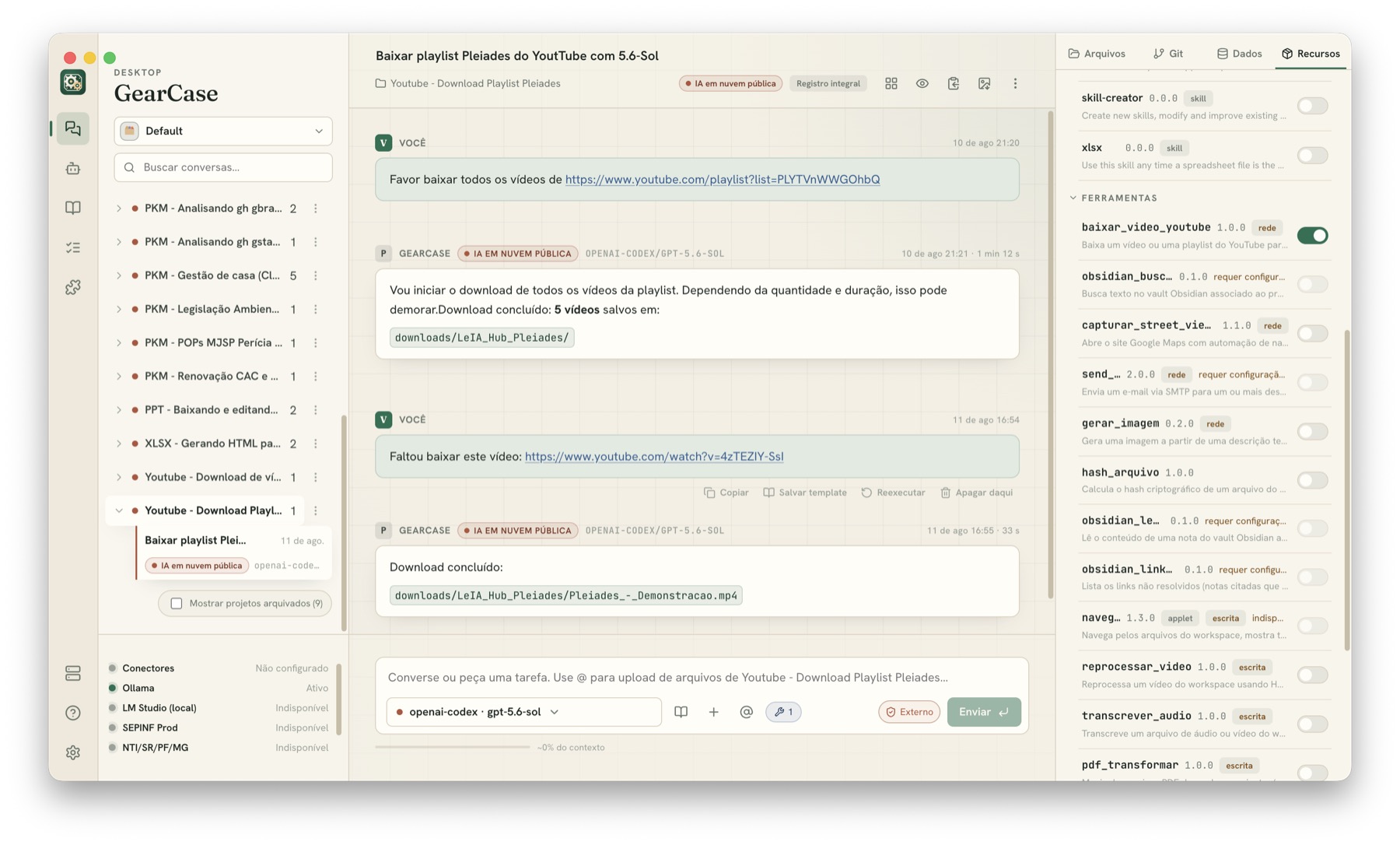
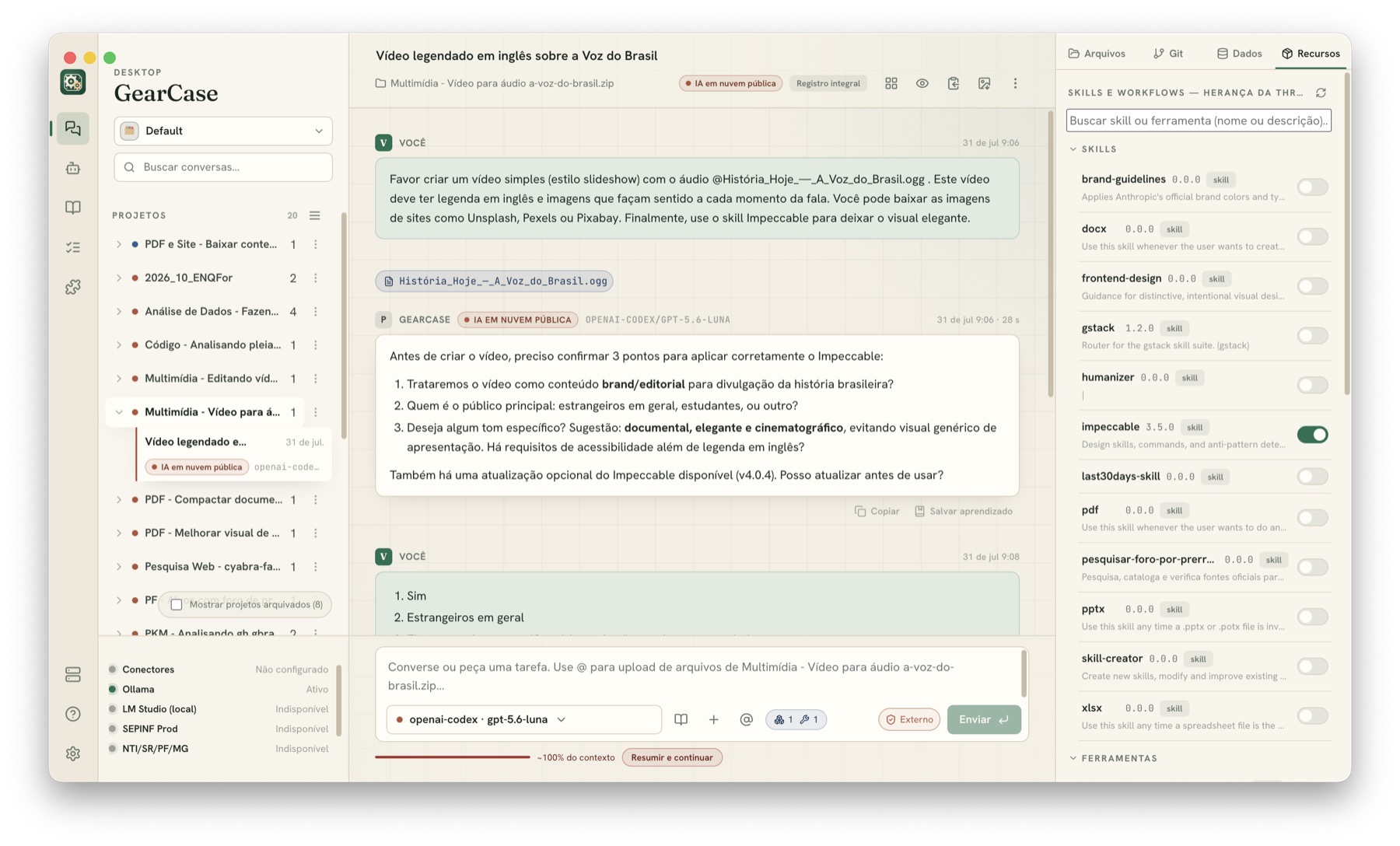
Extensions, called skills, add new functions to the app. You choose which ones are available in each project or conversation. If a tool tries to change something, GearCase asks for confirmation.

  • Work with PDF, DOCX, PPTX and spreadsheets
  • Transcribe, subtitle, convert and edit video
  • Control which sites and services each integration can access
  • Create your own skills and share the package
Tela Skills e Ferramentas do GearCase, com pacotes instalados e chaves para habilitar cada um.
Conversa usando uma ferramenta de download de vídeo, com o resultado salvo em uma pasta do projeto.
Assistants, instructions and routines

Set up repeated tasks once

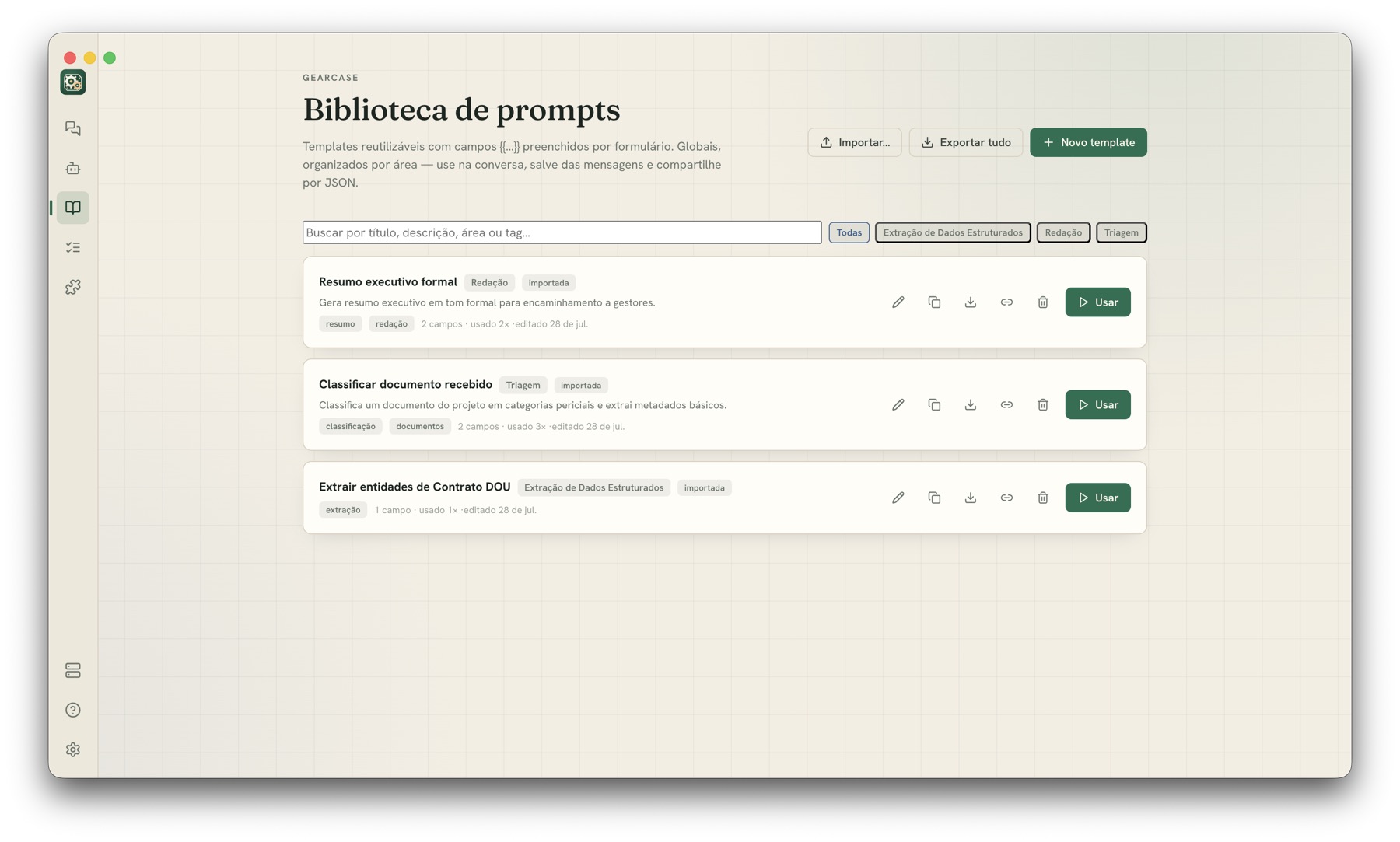
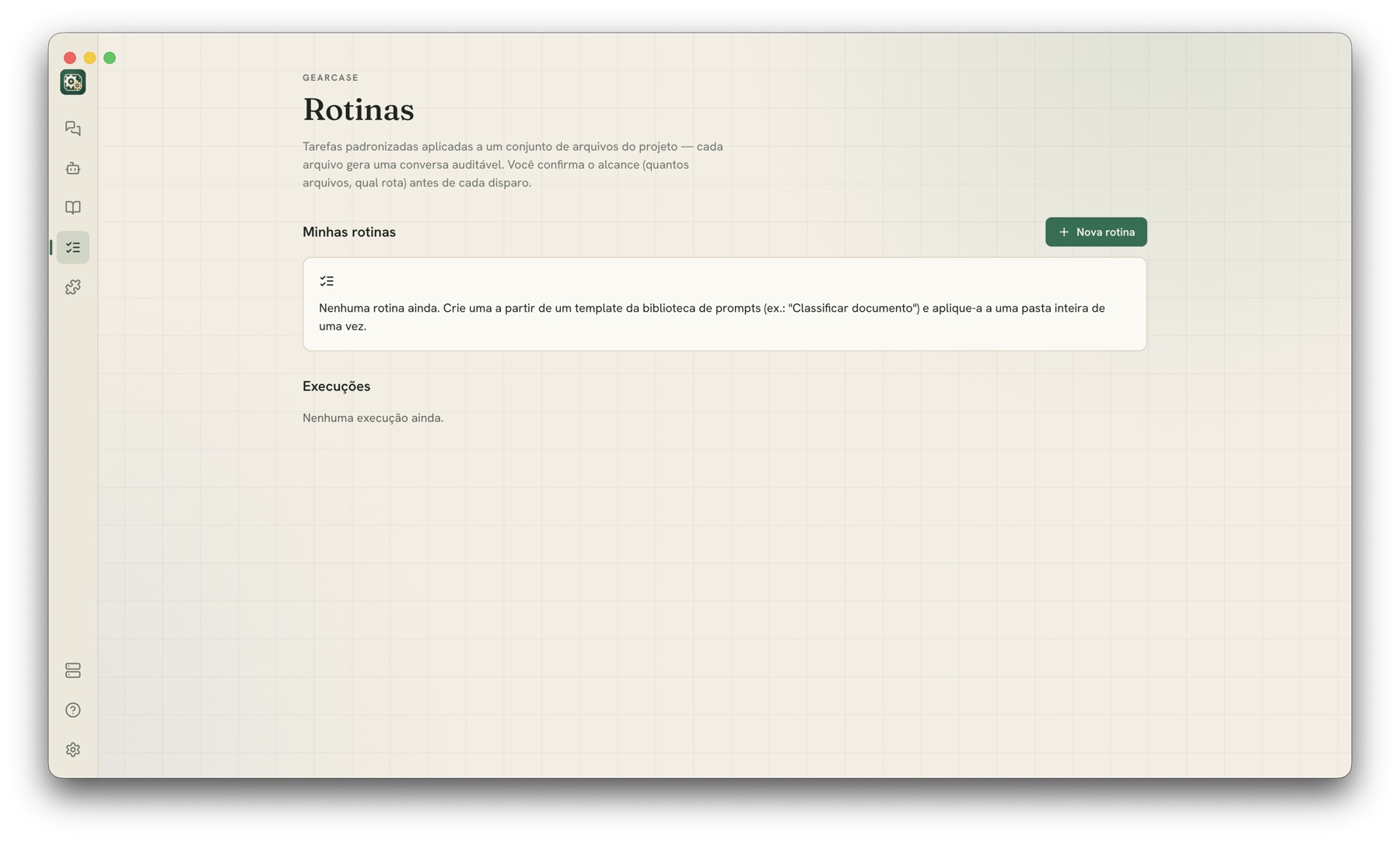
Create assistants with their own instructions and privacy rules. Save instructions as reusable forms or apply the same task to every file in a folder. Before starting, GearCase shows which files it will use.

  • Export and share assistants as JSON
  • Organize saved instructions by fields, areas and tags
  • View the history of each completed routine
Biblioteca de prompts do GearCase, com templates reutilizáveis organizados por área.
Tela de Rotinas do GearCase, para aplicar uma tarefa padronizada a um conjunto de arquivos.
Waitlist

Want to try it early?

GearCase is in pre-release. Leave your email to receive a message when the beta opens. You can also tell us how you plan to use it. This helps us decide what to build first.

  • No spam: one message when there is something to announce.
  • Your email is neither shared nor sold.
  • You can leave the list at any time.

We use your email only to tell you about the launch.

Done, you are on the list.

We will send you a message when there is news.